- Log into your account at https://app.mycirrusdental.com.
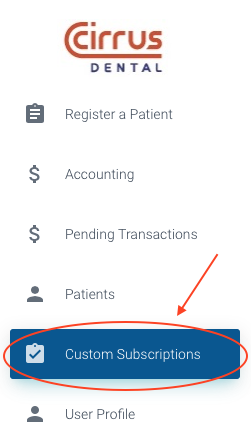
- Select the "Custom Subscriptions" option in the menu on the left of the screen.
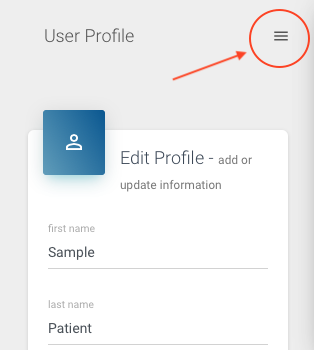
If you're on a mobile device, the menu is accessible via a hamburger icon in the top right of the screen.
- At the bottom of the screen there is a section to view, edit and add custom subscriptions.
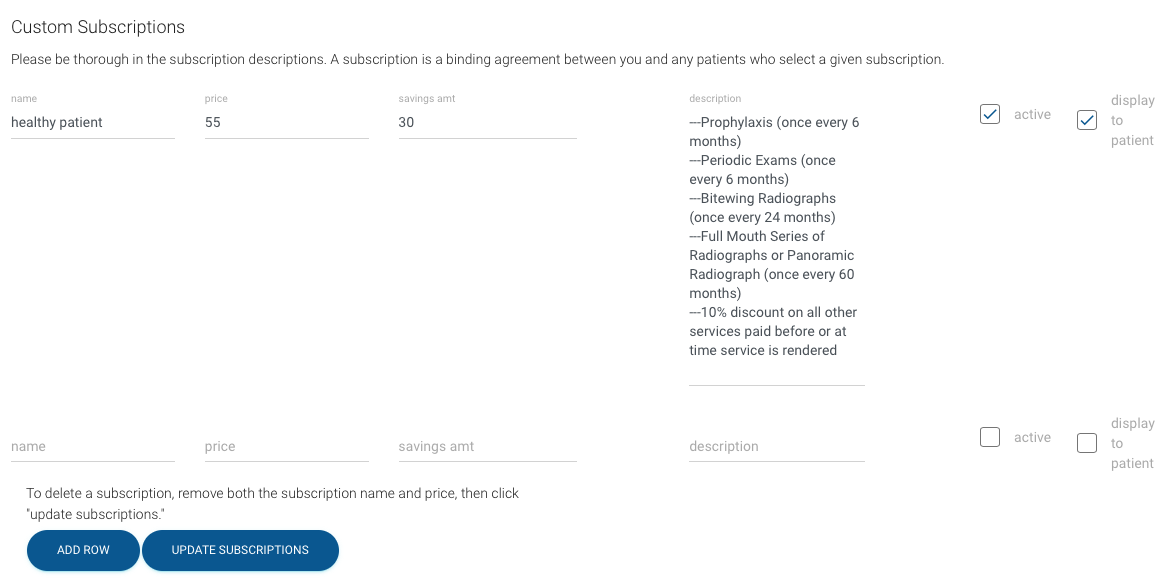
- Click in a field to modify the name, monthly price and description. You can also modify a monthly savings amount in the given field. The savings amount will be taken out of the price and placed in a Nest Egg for the patient. Each month, the dentist will receive the price minus the savings amount, less the Cirrus processing fee.
- Checking or unchecking the "active" box will make this subscription active or inactive.
- If you'd like patients to be able to view this subscription option, check the "display to patient" box. If this box is unchecked, office staff will be able to enroll a patient in this subscription, but the patient will not be able to see this subscription during sign up or in their interface.
NOTE: The subscription description is a binding agreement between you and any patients enrolled in the subscription. Please be specific about what the subscription includes.